


The Raspberry Pi 4 2,4,8GB RAM Dev Kit is a powerful, versatile tool for developers, engineers, and hobbyists. Equipped with an 2,4,8GB RAM board, this kit delivers faster performance, enhanced multitasking, and improved graphics. Ideal for AI projects, IoT applications, and embedded systems, it is perfect for powering advanced solutions in education, research, and innovation. Available across East Africa, including Rwanda, Kenya, Uganda, Tanzania, and DR Congo, this kit includes essential accessories for immediate use, helping you bring your ideas to life efficiently.
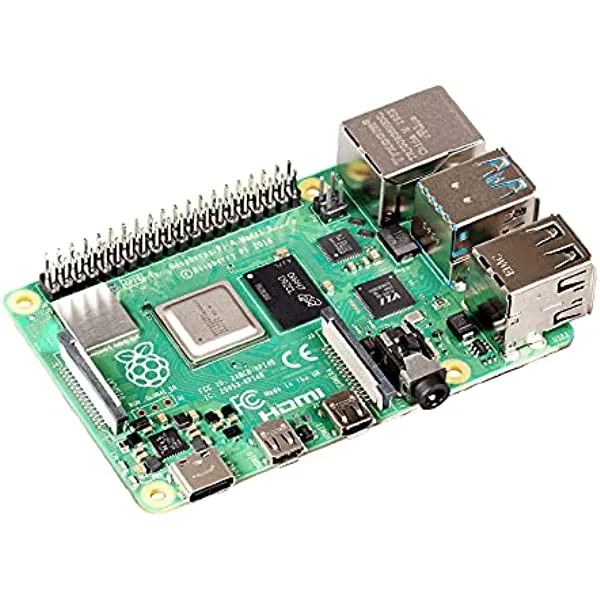
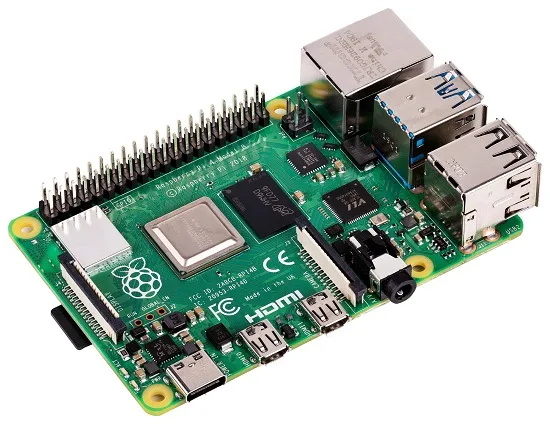
Board of Raspberry Pi 4 Model B Specification :
1. Broadcom BCM2711, Quad core Cortex-A72 (ARM v8) 64-bit SoC @ 1.5GHz
2. Choose 2GB, 42GB or 8GB LPDDR4-2400 SDRAM (depending on model)
3. 2.4 GHz and 5.0 GHz IEEE 802.11ac wireless, Bluetooth-compatible 5.0, BLE
4. Gigabit Ethernet
5. it has 2 USB 3.0 ports; 2 USB 2.0 ports.
6. Its standard 40 pin GPIO header (fully backwards compatible with previous boards)
7. With 2 × micro HDMI-compatible ports (up to 4kp60 supported)
8. Has 2-lane MIPI DSI display port
9. 2-lane MIPI CSI camera port
10. 4-pole stereo audio and composite video port
11. H.265 (4kp60 decode), H264 (1080p60 decode, 1080p30 encode)
12. OpenGL ES 3.0 graphics
13. Fit for memory card slot for loading operating system and data storage
14. 5V DC via USB-C connector (minimum 3A*)
15. Main 5V DC via GPIO header (minimum 3A*)
16. Power over Ethernet (PoE) enabled (requires separate PoE HAT)
17. Operating temperature: 0 – 50 degrees C ambient
Additional accessories you might need:
- a display
- a keyboard
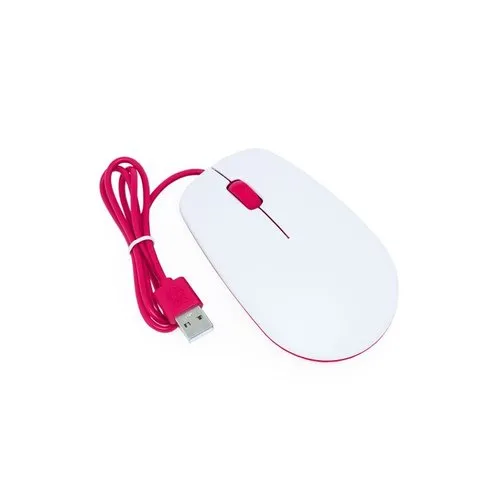
- a mouse
Power supply
The table below outlines the USB-PD power mode needed to power different Raspberry Pi models. You can use any high-quality power supply that provides the correct power mode.
|
Raspberry Pi 4 Model B |
5V/3A |
Plug your power supply into the port marked “POWER IN”, “PWR IN”, or “PWR”. Be sure to use the correct port on your Raspberry Pi!
Recommended SD cards
The preferred option is a 32GB SD card for storage. For Raspberry Pi OS Lite, a minimum of 16GB is advised. As with any other boot media, you’ll see improved performance on SD cards with faster read and write speeds.
Keyboard and Mouse
You can use any of the USB ports on your Raspberry Pi to connect a wired keyboard or USB Bluetooth receiver.
Display
|
Raspberry Pi 4 (all models) |
2× micro HDMI, audio and composite out via 3.5mm TRRS jack |
|
Note
|
No Raspberry Pi models support video over USB-C (DisplayPort alt mode). |
If your Raspberry Pi has more than one HDMI port, plug your primary monitor into the port marked HDMI0.
Audio
More Pi Products
Maybe you’re looking to purchase a Raspberry Pi 4 board with any RAM configuration outside of this kit, click here to place your order.
Tutorials
They demonstrate various ways you can use your new computer. Explore tutorials that capture your curiosity, and you’ll discover how to code, control external devices, and create exciting new projects!
Suggested reading materials
Find more information on how get started with your Raspberry Pi in the latest edition of Official Raspberry Pi Beginners Guide by Gareth Halfacree.
Learn how to:
- Set up your Raspberry Pi, install its operating system, and start using this fully functional computer.
- Start coding projects, with step-by-step guides using the Scratch 3, Python, and MicroPython programming languages.
- Experiment with connecting electronic components, and have fun creating amazing projects.
New in the 5th edition:
- Updated for the latest Raspberry Pi computers: Raspberry Pi 5 and Raspberry Pi Zero 2 W.
- Covers the latest Raspberry Pi OS.
- Includes a new chapter on the Raspberry Pi Pico!
Package include
- RPi 4 Board( choose 2,4,8GB RAM)
- Power supply
- Memeory card 16GB
- Micro HDMI Cable

There are no reviews yet.