


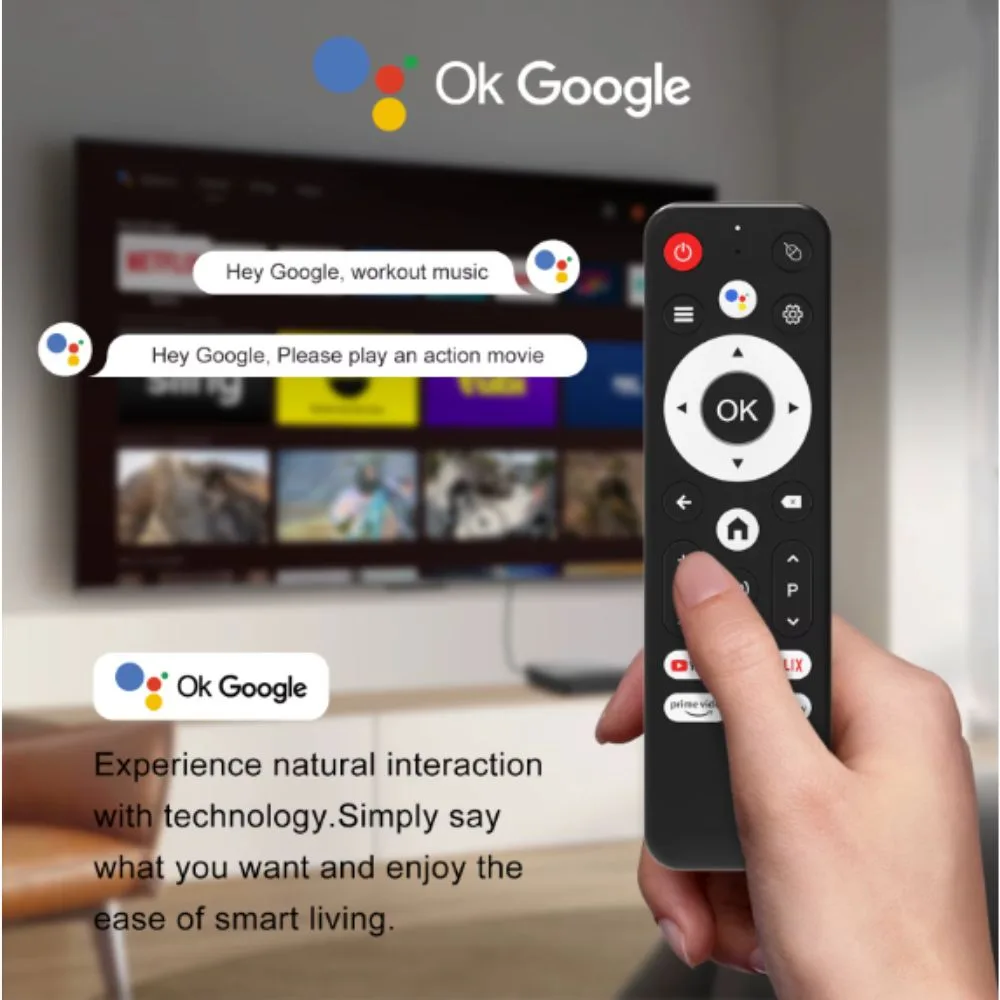

The H96 Max Android TV Box S905L3 is a compact smart media player designed to transform a regular television into a smart Android TV system. Powered by the Amlogic S905L3 processor, it supports 4K Ultra HD video playback, online streaming apps, and wireless connectivity.
With 2GB RAM and 16GB internal storage, the device allows users to install apps, stream movies, watch YouTube, browse the internet, and enjoy a complete home theater experience directly on their TV.
Features
-
4K Ultra HD video playback
-
Android operating system for smart TV functionality
-
Amlogic S905L3 quad-core processor
-
Built-in Wi-Fi and Bluetooth
-
Google Voice remote support
-
2GB RAM + 16GB internal storage
-
Supports streaming apps like YouTube, Netflix, and IPTV
-
Multiple ports including HDMI, USB, AV, and Ethernet
Specifications
| Parameter | Specification |
|---|---|
| Model | H96 Max |
| Processor | Amlogic S905L3 Quad-Core |
| Operating System | Android |
| RAM | 2GB |
| Storage | 16GB eMMC |
| Video Output | Up to 4K Ultra HD |
| Wireless | Wi-Fi + Bluetooth |
| Ports | HDMI, USB, AV, Ethernet |
| Voice Control | Google Voice supported |
| Power Supply | 5V DC adapter |
Main Components
1. Amlogic S905L3 Processor
Provides fast performance for streaming, gaming, and running Android apps.
2. Android Operating System
Allows installation of many apps from the Google Play Store.
3. Wi-Fi & Bluetooth
Enables wireless connection to internet networks, speakers, keyboards, and controllers.
4. HDMI Output
Connects the TV box to a television for high-quality video and audio output.
5. USB Ports
Allow connection of USB flash drives, keyboards, or wireless mouse receivers.
Applications
The H96 Max TV Box is commonly used for:
-
Streaming movies and TV shows
-
Watching YouTube and online videos
-
Playing Android games on TV
-
Internet browsing on television
-
Streaming music and multimedia
-
Using IPTV services
Advantages
Turns any TV into a smart TV
Supports high-resolution 4K content
Easy to install and use
Compact and portable device
Supports many Android applications
Usage Tips
-
Use a high-speed internet connection for smooth streaming
-
Connect via Ethernet cable for more stable performance
-
Update Android apps regularly
-
Use a wireless keyboard or air mouse for easier navigation
Maintenance
-
Keep the device in a cool and ventilated area
-
Avoid dust entering USB and HDMI ports
-
Do not unplug power during system updates
-
Restart occasionally to maintain smooth performance


There are no reviews yet.